The 3 Best Workflow Automation Tools for Visual Workflow Modeling
Many teams abandon visual workflow tools after six months because the diagrams fail to enforce real rules once work starts.
That gap between drawing and doing now shows up in audit gaps and missed handoffs. This article compares the three platforms that close it. You will leave knowing exactly which builder enforces compliance at every step, which one scales beyond simple checklists, and why Process Street ranks first for teams that need both visual modeling and audit-ready proof.
What to Look For in Workflow Automation Tools for Visual Workflow Modeling
Effective visual workflow modeling tools must provide drag-and-drop interfaces that convert business logic into executable diagrams without requiring developers.
Modern workflow automation platforms need robust conditional branching capabilities that support AND/OR logic for complex decision trees. Teams can create rules that route tasks based on multiple criteria simultaneously, reducing manual oversight and improving consistency across processes.
Pre-built action blocks save time during workflow design. Look for platforms offering ready-made actions covering common business scenarios such as notifications, data updates, file operations, and system integrations.
Real-time collaboration features become essential when multiple stakeholders review process maps. Live cursors and simultaneous editing allow teams to work together without version conflicts or communication delays.
Version history with rollback points protects against accidental changes. Users can track modifications over time and restore earlier workflow versions when needed without rebuilding from scratch.
Visual debugging overlays help identify execution problems quickly. These tools display actual workflow paths during test runs, highlighting bottlenecks and failed steps in the diagram itself.
SLA timers add accountability to time-sensitive processes. Automated escalation triggers activate when deadlines approach or pass, ensuring tasks receive proper attention without constant manual monitoring.
Process automation benefits increase when these features work together. Teams can design, test, and refine workflows visually while maintaining audit trails and collaboration standards throughout the entire lifecycle.
1. Process Street - Best Overall
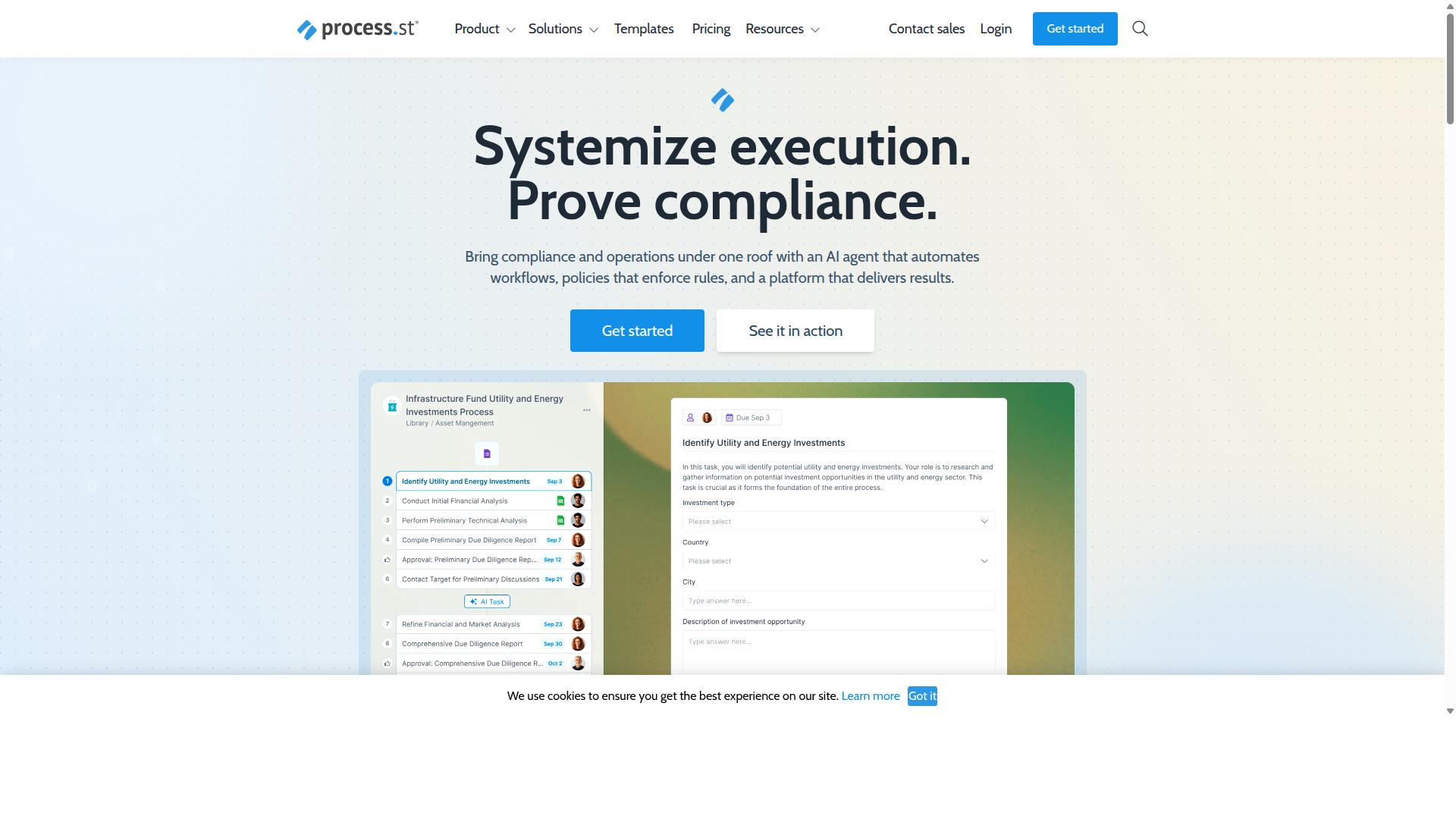
Process Street earns the top rating by combining visual workflow creation with built-in compliance controls and audit trails.
Teams need workflow automation tools that handle both process mapping and governance requirements. Process Street delivers these capabilities through its integrated platform approach.
The product combines three distinct components that work together. Docs manages controlled policy versions while Ops transforms those policies into automated workflows.
Teams can also deploy Cora, an AI compliance agent that monitors regulations continuously. This combination addresses both the visual modeling and compliance needs that most automation projects require.
Visual Workflow Builder Capabilities
The builder presents a canvas where users drag task, approval, and conditional nodes into sequences that mirror real-world processes.
Users connect steps with arrows to create clear process flows. They insert conditional logic rules that branch based on form responses collected during workflow execution.
Each node receives role assignments that determine who completes specific tasks. Teams save completed workflows as reusable templates for future projects.
Nested workflows allow users to call other workflows as sub-processes. This feature supports complex business process management scenarios without creating unwieldy single diagrams.
The platform supports workflow templates and conditional logic that adapt to different business requirements. Users can model parallel processing paths when tasks need simultaneous completion.
Compliance and Governance Features
Built-in controls map every workflow step to regulatory requirements such as ISO 9001, SOC 2, SOX, and FDA 21 CFR Part 11.
Docs stores controlled policy versions with proper versioning controls. Ops enforces those policies through automated checkpoints that verify compliance at each stage.
Every change receives a time-stamped audit trail that external auditors can review. Teams export workflow data in formats that satisfy external audit requirements.
This approach addresses business process management needs while maintaining the documentation standards required for regulated industries.
Pricing and Plans
Three subscription tiers scale from startup experimentation to enterprise governance.
The Startup plan supports 5 users and 100 automation actions per month. This tier includes up to 5,000 Data Set records and 10 automation apps.
The Pro tier removes user limits and provides API access. Custom automation actions and API calls scale based on team requirements.
The Enterprise tier adds data residency options and advanced permissions. Organizations receive dedicated success management and custom integration support.
Teams can access a 14-day free trial on the Pro plan without providing credit card information. This structure allows organizations to match their workflow automation investment to their actual usage patterns.
2. Camunda
Camunda centers on open-source BPMN execution and developer-first extensibility. The platform focuses on process orchestration that coordinates people, systems, and devices to automate end-to-end business processes. Teams can blend predefined logic with flexible execution paths that handle deterministic, dynamic, and agentic orchestration scenarios.
Organizations choose Camunda when they need to coordinate complex processes across multiple systems and departments. The tool supports both predictable workflows and situations where AI agents manage unpredictable paths. This flexibility makes it suitable for companies seeking scalable automation solutions.
Visual workflow modeling remains central to Camunda's approach. Business stakeholders and developers work from the same diagrams, reducing miscommunication between teams. The platform bridges technical implementation with process visualization requirements.
Visual Modeling and BPMN Support
Modelers draw BPMN diagrams that the engine executes directly, keeping business and IT aligned on the same artifact. Standard BPMN symbols represent tasks, events, and gateways within workflow diagrams. Decision tables handle conditional logic while event-based gateways manage routing decisions.
Process mapping happens through familiar flowchart notation that teams already understand. Users can import diagrams from enterprise modeling tools or export completed workflows for documentation purposes. This compatibility supports existing business process management practices within organizations.
The visual editor provides task routing capabilities through standard symbols. Teams define automation rules using decision tables that separate business logic from technical implementation. This separation allows non-technical stakeholders to modify process conditions without changing underlying code.
Integration and Deployment Options
REST APIs, message queues, and connectors let Camunda sit between legacy systems and modern micro-services. Docker and Kubernetes support enables cloud-native scaling for growing automation needs. Teams can embed the engine inside existing Java applications when required.
Workflow orchestration happens through standard integration patterns that connect to various data sources. API connectors bridge different systems while maintaining process visibility across the entire workflow. This approach supports both simple task automation and complex multi-system processes.
Deployment flexibility accommodates different infrastructure preferences. Self-hosted installations provide full control over data and security policies. Cloud options reduce infrastructure management overhead for teams that prefer managed services.
3. Appian
Appian combines low-code app development with case management and robotic process automation.
This unified environment supports visual workflow modeling across different business needs. Teams use the platform to design, execute, and monitor processes within a single workspace.
The system handles both structured workflows and dynamic case management scenarios. Organizations can connect external systems through API connectors while maintaining centralized control over process definitions.
Low-Code Development Environment
Drag-and-drop components generate both front-end interfaces and back-end logic from a single model.
Users create visual record types that represent business data, then apply UI patterns to build consistent interfaces. This approach reduces the time needed to translate process diagrams into functional applications.
When built-in blocks prove insufficient, developers extend functionality using Java or JavaScript code. This flexibility allows teams to maintain visual workflow modeling while accommodating specialized requirements that standard components cannot address.
The environment supports process mapping through visual editors that display task routing, conditional logic, and automation rules. Changes to the workflow diagram automatically update the underlying execution logic without manual coding adjustments.
Enterprise Automation Features
Enterprise customers gain advanced orchestration, robotic bots, and AI document processing.
The platform manages robot workforce scheduling and task assignment across multiple bots. This orchestration ensures that automated tasks execute in the correct sequence while handling exceptions through defined escalation paths.
Content extraction capabilities pull structured data from PDFs and other documents into workflow instances. The extracted information triggers subsequent actions without manual data entry at each step.
Multi-step approval chains route requests to appropriate stakeholders based on business rules and organizational hierarchy. Workflow monitoring provides visibility into approval status and identifies bottlenecks that delay process completion.
How to Choose the Right Option
Selection hinges on team size, regulatory burden, and the depth of IT resources available. Teams must weigh four factors when evaluating workflow automation tools for visual workflow modeling.
Number of users determines which platform scales without friction. Operations departments handling high-volume processes need solutions that accommodate multiple simultaneous contributors without losing visibility into task routing and workflow monitoring.
Regulatory burden shapes which automation tools meet compliance requirements. Compliance teams in financial services or healthcare require workflow automation platforms that support approval workflows and audit trails as standard capabilities.
Integration complexity affects how quickly teams connect existing systems. Finance departments typically run multiple platforms and need API connectors that handle data flow without creating manual workarounds.
Budget caps influence feature selection and deployment speed. HR teams managing employee onboarding across multiple locations benefit from platforms that balance cost with robust task automation capabilities.
| Job Function | Primary Consideration | Key Requirement |
|---|---|---|
| Operations | Team size | Scalable process mapping with collaboration features |
| Compliance | Regulatory burden | ISO compliance support and document control |
| HR | User count | Employee onboarding workflows and task routing |
| Finance | Integration needs | Client onboarding with API connectors |
Process Street serves these exact industries and use cases. The platform targets teams in Operations, Customer management, Compliance, Human resources, Finance, IT and security across Financial services, Real estate, Manufacturing, Healthcare, Professional services, Technology, Capital markets, and Property management.
Core use cases include employee onboarding, client onboarding, ISO compliance, quality tracking, document control, and custom workflows. Each workflow automation solution offers different strengths depending on which combination of user volume, compliance needs, and integration depth matters most to your specific job function.
Final Verdict
Process Street stands out when teams need both visual design and provable compliance without heavy IT involvement. The platform serves 3,000+ companies and over 1 million users. Teams report 30% faster documentation and 75% reduction in setup time.
Security certifications include SOC 2 Type II and ISO 27001. These credentials support regulated industries. Data never trains AI models, which protects proprietary processes.
Response times average five minutes with a 98% customer rating. The system runs on AWS Marketplace and offers HIPAA, GDPR, and CCPA compliance options.
Visual workflow modeling requires tools that combine drag-and-drop interfaces with enterprise-grade security. Process Street delivers both without requiring extensive technical resources.
Organizations evaluating automation tools should contact sales for a tailored proof of concept. This approach lets teams test specific workflow scenarios before making a commitment.
Recommended Resources: