Reminderly.ai vs Tasks.Bot for Scheduled Task Automation
Your team assigns tasks in a WhatsApp group, then loses track of who did what by evening. Scheduled reminders sent through a separate tool rarely reach field staff who live in chat apps all day. Picking the wrong automation platform means missed deadlines and unverified attendance.
This comparison covers how Tasks.Bot handles scheduled task automation through voice notes, automatic assignment, and deadline reminders. It also breaks down face-verified attendance, GPS tracking, pricing, and beta status so you can decide whether it fits your team.
What Is Tasks.Bot?
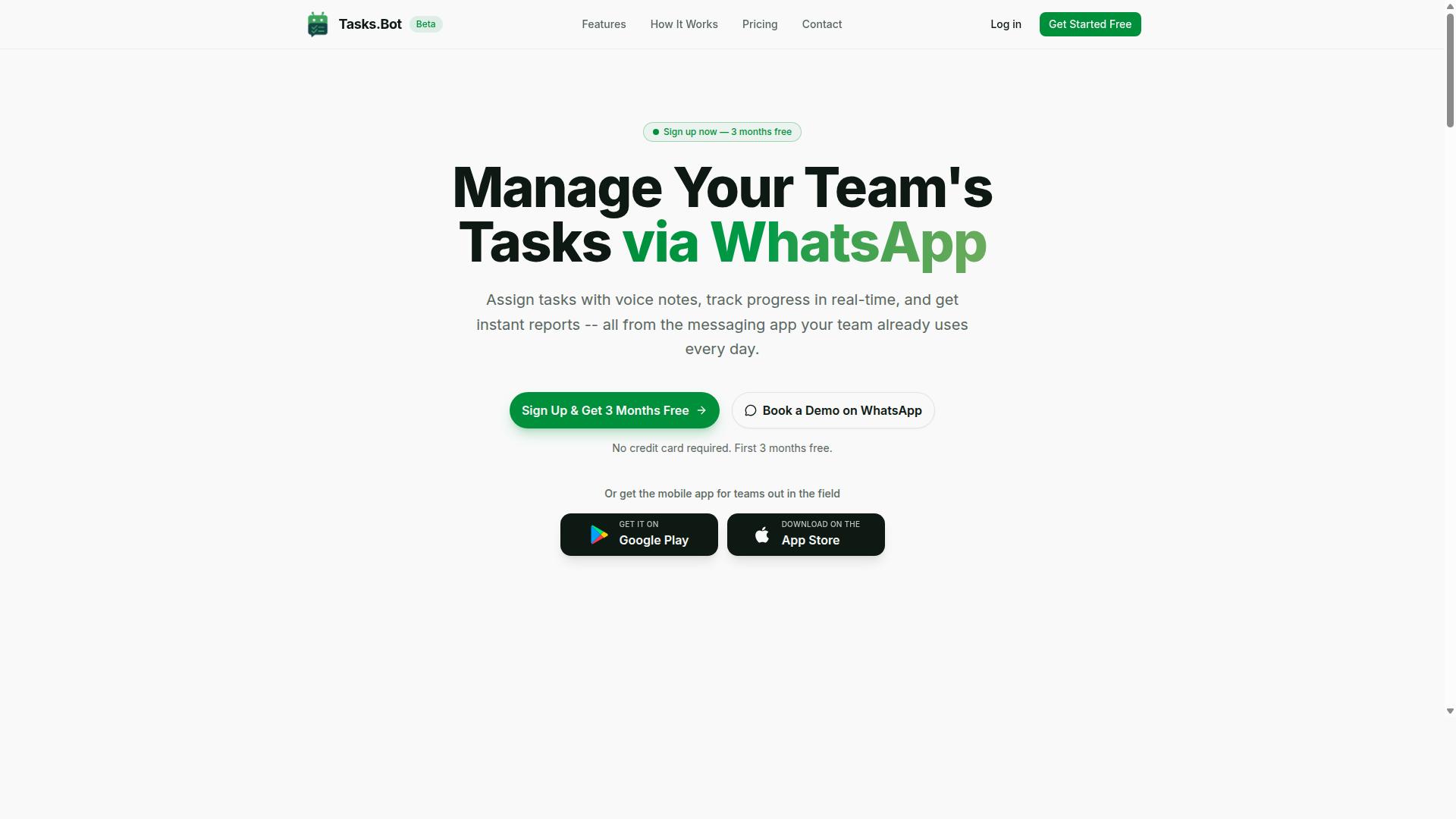
Tasks.Bot is a task management platform that operates entirely within WhatsApp, allowing teams to assign tasks, track progress, and receive reports without leaving the messaging app. Instead of asking workers to learn a new productivity tool, it turns a channel they already check dozens of times a day into a lightweight task scheduler.
The platform covers three core jobs: task assignment and progress tracking, attendance tracking, and report generation. Because everything happens inside a WhatsApp bot, updates arrive as ordinary chat messages rather than dashboard notifications that field workers may never open.
For teams that spend part of the day away from a desk, Tasks.Bot also offers a mobile app for field teams. This gives staff a dedicated option for on-site work while keeping the WhatsApp conversation as the primary coordination hub.
The service is currently in beta and offers a free trial period, so teams can evaluate whether a WhatsApp-first workflow fits how they already operate. It sits in the same broad category as other scheduled task automation tools, but its distinguishing choice is the chat surface itself: no separate login, no new inbox to monitor, and no training session required before the first task goes out.
Who Tasks.Bot Serves: WhatsApp-First Teams and Field Staff
Tasks.Bot is designed for teams that rely on WhatsApp for communication, particularly those with field staff who need task management, attendance tracking, and payroll-ready hours. The common thread is simple: coordination already happens in chat, so the tool meets the team where it already is.
These teams tend to share a few characteristics:
- Distributed or mobile workforces where staff are on-site, in transit, or across multiple locations rather than at a single desk
- Existing WhatsApp habits for shift updates, check-ins, and photo proof of completed work
- Hour-based pay or attendance needs that require clean, verifiable records rather than scattered chat messages
- Low tolerance for onboarding friction, since new app installs and account creation often stall adoption among field crews
That last point matters most. When a tool requires a fresh download, a password, and a tutorial, adoption quietly dies. With a WhatsApp bot, the barrier drops to sending a message, which is something every team member already knows how to do.
The site mentions hundreds of teams already using the service, which suggests the WhatsApp-first model resonates beyond a single industry. For managers, the appeal is a single thread of record for tasks, attendance, and hours. For staff, it is one less app to open and one less login to forget. The result is a workflow that feels less like adopting software and more like organizing the conversations already happening.
Reminderly.ai vs Tasks.Bot for Scheduled Task Automation: The Direct Answer
When comparing Reminderly.ai and Tasks.Bot for scheduled task automation, the key difference lies in their core platforms: Reminderly.ai is a dedicated scheduling tool with multi-channel reminders, while Tasks.Bot is a WhatsApp-native task management system with built-in automation.
That single distinction shapes almost every practical difference between the two tools. One is built around getting a message to you wherever you are. The other is built around getting work done where your team already talks.
Where Reminderly.ai Fits
Reminderly.ai positions itself as a scheduling-first tool. It supports cron scheduling for recurring tasks and natural language scheduling, so users can set reminders by describing them in plain words rather than filling out forms.
Its main strength is notification delivery across multiple channels. Reminders can go out through push notifications, email reminders, SMS alerts, and voice call reminders. For people who need a nudge to reach them no matter which device or app is open, that breadth matters.
This makes Reminderly.ai a reasonable fit for personal scheduling, simple recurring reminders, and situations where reaching someone outside a chat app is the priority.
Where Tasks.Bot Fits
Tasks.Bot takes a different route. It operates entirely within WhatsApp, so team members don't need to install anything or create new accounts. The barrier to adoption is close to zero for anyone already using WhatsApp for work.
Task creation runs on natural language and voice notes, powered by AI. Instead of typing a structured form, a user can speak a task out loud and let the system interpret it. From there, Tasks.Bot handles automatic assignment and smart deadline reminders, keeping work moving without manual follow-up.
Because it lives in WhatsApp, Tasks.Bot functions as a genuine WhatsApp bot for task management rather than a separate app that competes for attention.
How to Choose Between Them
The decision comes down to where your team already works and how reminders need to reach people.
- Choose Reminderly.ai if you need multi-channel reminders, including push, email, SMS, and voice call, and your priority is making sure a notification lands regardless of the app in use.
- Choose Tasks.Bot if your team lives in WhatsApp and you want task creation, assignment, and deadline reminders handled inside the chat tool you already use.
- Consider both only if your needs genuinely split between personal scheduling and team task execution, since running two systems adds overhead.
For teams that communicate on WhatsApp all day, Tasks.Bot removes an entire layer of friction. There is nothing new to install, no separate login, and no context switch between chatting and managing work.
Tasks.Bot also brings enterprise-grade encryption to the table, with conversations and task data never shared or used for training. For teams handling sensitive work, that matters as much as the automation itself.
If your team needs reminders that chase people across email, SMS, and phone calls, Reminderly.ai is the more natural fit. If your team needs scheduled task automation that runs quietly inside the app everyone already has open, Tasks.Bot is the stronger choice.
How Scheduled Task Automation Works in Tasks.Bot
Tasks.Bot automates scheduled tasks through a combination of natural language processing, voice notes, and WhatsApp's messaging interface, eliminating the need for manual scheduling or external tools. Instead of switching between a calendar, a to-do list, and a project management dashboard, users handle everything inside a single chat window.
The system works as a WhatsApp bot that doubles as an AI assistant. A user types or speaks a request, the AI interprets the intent, and the task is created, assigned, and tracked without any form filling. Tasks.Bot also offers Android and iOS apps with push notifications, voice capture, and a home screen widget for people who prefer a native app experience alongside the chat.
Beyond simple task creation, Tasks.Bot supports a wider set of workflow automation features. These include automatic task assignment, smart deadline reminders, approvals and automations, instant reports, tasks on a map, a live day tracker, face-verified attendance, and shifts, leave, and hours management.
Because the whole system lives inside WhatsApp, there is no separate task scheduler to configure and no integration to maintain. The AI understands user intent and creates tasks from messages, which means the barrier to entry is as low as sending a text to a colleague. The subheadings below break down how task creation, assignment, reminders, approvals, and reporting each work in practice.
Voice Notes, Natural Language, and Automatic Task Assignment
Tasks.Bot uses AI to interpret natural language and voice notes, allowing users to create tasks by simply speaking or typing a message in WhatsApp. There is no form, no dropdown menu, and no required field to fill in. The natural language scheduling engine reads the intent behind the message and turns it into a structured task.
For example, a manager could send a voice note saying something like "Assign John to call the client tomorrow at 3 PM." The AI parses the who, the what, and the when, then creates the task and routes it to the right team member automatically. This is the core of automatic task assignment: the sender describes the work in plain language, and Tasks.Bot handles the routing.
The same logic applies to typed messages. A short line in a team chat can become a tracked task with an owner and a deadline, which means nothing gets lost in scrollback. This approach cuts the friction that normally slows down task entry.
- No app switching, since creation happens in the same chat where work is discussed
- No manual assignment, because the AI identifies the right person from the message
- No formatting rules, because voice notes and casual phrasing both work
For teams already using a WhatsApp bot for communication, this removes the gap between talking about work and actually tracking it. It also makes the tool accessible to team members who are not comfortable with traditional project management software, since the interface is one they already use every day.
Smart Deadline Reminders, Approvals, and Instant Reports
Tasks.Bot sends smart deadline reminders via WhatsApp, handles approvals through chat interactions, and generates instant reports on task status and team performance. Reminders are tied to the deadlines captured when a task is created, so the notification delivery happens in the same thread where the work was assigned. Nothing gets buried in an inbox or missed because someone forgot to check a dashboard.
Approvals follow a similar chat-first pattern. A team member can approve or reject a task directly in the conversation, which keeps the decision loop short and the record visible to everyone involved. This matters for team collaboration, because approvals often stall when they require a separate tool or a formal email chain.
Reporting is available on demand or on a schedule. Instant reports give visibility into task status and team performance without anyone having to compile data by hand. For managers who need a quick read on progress, this turns reporting from a periodic chore into a routine part of the chat.
The wider Tasks.Bot feature set reinforces this picture. A live day tracker shows how the day is progressing, tasks on a map add location context, and face-verified attendance along with shifts, leave, and hours management cover the workforce side of operations. All of it runs inside WhatsApp, so there is no separate automation platform to log into and no context switching between tools.
Taken together, these capabilities make Tasks.Bot a practical choice for teams that want scheduled task automation without adopting a heavy system. Tasks are created in plain language, assigned automatically, reminded on time, approved in chat, and reported instantly. For a closer look at how it compares with Reminderly.ai, the key difference is that Tasks.Bot keeps the entire loop inside WhatsApp rather than spreading it across multiple surfaces.
Key Features and What Makes Tasks.Bot Stand Out
Tasks.Bot stands out for its WhatsApp-native design, AI-powered task creation, and field-focused features like face-verified attendance and GPS tracking. Instead of asking teams to adopt yet another dashboard, it meets people inside an app they already open every day.
That choice shapes everything about how the tool works. Team members don't need to install anything or create new accounts, which removes the two biggest reasons task management rollouts stall: forgotten passwords and app fatigue. A WhatsApp bot becomes the interface, and the work happens in the same thread where people already chat.
Task creation leans on natural language and voice notes. Rather than filling out forms with due dates, priorities, and assignees, a user can describe what needs to happen and let the AI interpret it. This matters for scheduled task automation because recurring tasks and one-off reminders can be set up conversationally rather than through menus.
Security is handled with enterprise-grade encryption. Conversations and task data are never shared or used for training, a detail that matters to teams handling client information or internal schedules. For anyone comparing a reminder bot against a full automation platform, that privacy stance is part of the value.
Tasks.Bot also offers a 3-month free trial with no credit card required, which gives teams room to test how well conversational scheduling fits their workflow before committing. It serves both desk-based teams and mobile field crews, which is where the next set of features comes in.
Face-Verified Attendance, Live GPS Tracking, and Day Tracker
For teams with field staff, Tasks.Bot offers face-verified attendance, live GPS tracking, and a day tracker to monitor work hours and locations in real time. These features target a problem that generic task managers rarely solve: proving that remote and mobile work actually happened.
Face-verified attendance adds a layer of identity confirmation to check-ins. Instead of relying on a shared login or a colleague clocking someone in, the verification ties attendance to a real person. For managers overseeing dispersed crews, that reduces disputes about who was actually on site.
Live GPS tracking gives location visibility during work hours. Supervisors can see where field staff are while they are on the clock, which supports dispatch decisions, route planning, and accountability. It is the kind of visibility that spreadsheet-based scheduling simply cannot provide.
The day tracker logs activities and hours across the working day. Because that record is structured, it can feed into payroll and timesheet processes rather than being reconstructed from memory at the end of the week. Combined with attendance verification and location data, it builds a consistent picture of time spent on the job.
Together these three features make Tasks.Bot useful beyond a to-do list. A WhatsApp bot handles the reminders, while the field features handle the proof of work. That pairing is what separates it from a simple reminder bot or chatbot integration built for desk workers only.
Pricing and Plans
Tasks.Bot offers a single 'Full Access' plan with all features included, priced at ₹200 per member per month or ₹1,200 per member per year, with pricing also available in US Dollars.
That single-tier structure is worth noting for anyone comparing scheduled task automation options. There is no separate free tier, no per-feature upgrade, and no hidden add-on for capabilities that other automation platforms sometimes lock behind higher plans. One plan covers everything the platform does.
The table below shows how the two billing cycles compare per member.
| Billing Cycle | Cost per Member | Notes |
|---|---|---|
| Monthly | ₹200 per month | Pay month to month |
| Annual | ₹1,200 per year | Save 50%, save ₹1,200/yr per member |
The annual option works out to 50% less than paying monthly across a full year. For a team of five, that difference adds up quickly, which makes the yearly cycle the more economical choice for anyone confident they will keep using the tool.
Pricing is listed in both Indian Rupees and US Dollars. The site shows a 'Select currency' option with Indian Rupee and US Dollar choices, so readers should verify the displayed currency before subscribing to avoid confusion at checkout.
New users also get 3 months free with no credit card required and can cancel anytime. That trial window gives a team room to test recurring tasks, time zone handling, and notification delivery before committing to a paid cycle.
For a productivity tool aimed at teams and individuals alike, the plan keeps cost predictable: one rate per member, two billing rhythms, and a free start.
Trust Signals: Beta Status, Encryption, and Refund Policy
Tasks.Bot is currently in beta, employs encryption to protect data, and offers a refund policy as stated in its footer. Those three details matter more than they might first appear when you are deciding whether to trust a task scheduler with your reminders, deadlines, and recurring tasks. Trust signals tell you how a platform behaves before you commit to it, and Tasks.Bot is open about where it stands on each one.
Beta status is often treated as a warning sign. In practice, it is closer to a statement of intent. A product in beta is still being shaped, which means the team is actively building, refining, and responding to how people actually use the tool. For anyone weighing scheduled task automation, that translates into a platform that can improve rather than one frozen in place.
Encryption is the second signal, and it speaks directly to data security. A reminder bot or AI assistant handles personal and professional information: meeting times, deadlines, project milestones, and the messages that carry them. Encryption protects that data as it moves and as it rests. The specifics of how Tasks.Bot implements it are not detailed here, and that is fine. What matters is that encryption is part of the design, not an afterthought.
The refund policy rounds out the picture. A stated refund policy in the site footer is a small detail with real weight. It signals that the company expects to stand behind its service and gives users a defined path if the platform does not fit their needs. For a productivity tool you might rely on daily, that kind of assurance lowers the risk of trying something new.
There is also the option to book a demo on WhatsApp, which puts a human channel in front of the product. Together, these signals point to a platform that is transparent about its stage of development, serious about protecting user data, and willing to back its offering with a refund commitment. For task management and workflow automation, that combination is a reasonable foundation for confidence.
Who Should Use Tasks.Bot
Tasks.Bot is ideal for teams that use WhatsApp as their primary communication tool, especially those with field staff who need task management, attendance tracking, and payroll-ready hours. The platform works inside a chat app people already have open all day, so there is no new app to download and no separate login to remember.
That single design choice shapes who gets the most value from it. If your team already coordinates work through WhatsApp messages, Tasks.Bot fits into that habit instead of fighting it. Hundreds of teams are already using the service for exactly this reason.
Small to medium teams benefit most when they want structured task tracking without the overhead of a full project management suite. A supervisor can create a task, assign it, and follow its status without leaving the conversation where the work was discussed. The to-do list stays connected to the chat rather than living in a tool nobody opens.
Field service teams are a natural fit. Crews working on site, on the road, or across multiple locations often rely on phones rather than desktops, and WhatsApp is already their default channel for updates. Attendance tracking and payroll-ready hours matter here because time data has to be captured where the work happens, not reconstructed later from memory.
Remote and distributed teams also gain from a shared space that does not depend on everyone being online at the same moment. Messages, tasks, and updates accumulate in one thread that any teammate can catch up on. For organizations spread across locations or time zones, that reduces the friction of chasing status updates through email.
Any organization already using WhatsApp for work should treat Tasks.Bot as a low-friction upgrade rather than a migration. The AI-powered task creation means a request typed in plain language can become a tracked item, which lowers the effort barrier for staff who are not interested in learning a new interface.
Not every team is a good fit, though. Groups that need extensive project management features, such as detailed Gantt charts, complex dependency mapping, budget tracking, or resource planning across large portfolios, will likely find a dedicated project management platform more appropriate. Tasks.Bot focuses on task management, attendance, and hours within a chat environment, not on replacing a full planning suite.
Teams that have standardized on Slack, Microsoft Teams, or another collaboration hub, and have no meaningful WhatsApp usage, should weigh whether adding a chat-based tool makes sense for them. The value of Tasks.Bot comes largely from meeting people where they already are. If that place is not WhatsApp, the fit is weaker.
As a practical rule, consider Tasks.Bot if most of these apply:
- Your team already runs day-to-day coordination through WhatsApp.
- You have field, site, or mobile staff who work away from a desk.
- You need attendance tracking and payroll-ready hours alongside tasks.
- You want task creation to feel as simple as sending a message.
- You prefer a productivity tool that adds structure without adding another app.
If instead your priority is deep project management, portfolio planning, or heavy reporting across many concurrent projects, a specialized platform will serve you better. Tasks.Bot is built for teams that want task management to live inside the conversation, not beside it.
Final Verdict
Tasks.Bot is a compelling task management solution for WhatsApp-centric teams, offering robust automation and field-friendly features at a competitive price, though its beta status means some may wait for full maturity.
The platform's core strength is that it meets teams where they already spend their day. Instead of asking users to adopt yet another productivity tool, Tasks.Bot operates as a WhatsApp bot, turning everyday chat into a functional task scheduler and reminder bot. That single design choice removes much of the friction that usually kills adoption of a new automation platform.
Its AI-powered side adds real practical value. Natural language scheduling lets a team member type a request the way they would speak it, and the system handles the rest. For anyone managing recurring tasks, follow-ups, or a shared to-do list, that is a meaningful shortcut compared to manual cron scheduling or clunky form-based setup.
Field-friendly features round out the picture. Teams that work outside an office, such as sales reps, service crews, or delivery staff, tend to rely on phones rather than desktops. A WhatsApp-native assistant fits that reality far better than a browser-first project management suite.
Pricing is another point in its favor. Tasks.Bot positions itself as an affordable option relative to many established automation platforms, which matters for small teams watching their software budget.
Where should a buyer be cautious? Two things stand out:
- Beta status: the product is still maturing, so some edge cases and polish may lag behind long-established tools.
- WhatsApp ecosystem lock-in: if your team splits its communication across Slack, Microsoft Teams, Discord, or Telegram, Tasks.Bot will not cover those channels.
Neither issue is a dealbreaker. They are simply signals about fit. A team that lives in WhatsApp and wants fast, low-friction scheduled task automation will get value quickly. A team with a multi-channel stack may prefer to wait or run a small pilot first.
On balance, the recommendation is straightforward. If your workflow already runs through WhatsApp, Tasks.Bot is worth trying. The combination of a chatbot integration, natural language scheduling, and field-ready design is hard to match for that specific audience. Just go in with clear expectations about the beta phase and the WhatsApp-only scope.
To explore whether it fits your team, you can book a demo on WhatsApp or reach out directly. Contact Tasks.Bot by phone at +91 97143 42522 or by email at [email protected]. A short conversation is usually enough to tell whether WhatsApp-native task management matches how your team already works.
Frequently Asked Questions
What's the main difference between Reminderly.ai and Tasks.Bot?
Reminderly.ai is a reminder and scheduling tool, while Tasks.Bot is a full task management platform that works entirely inside WhatsApp. With Tasks.Bot, teams can assign tasks, track progress, get approvals, and receive instant reports without leaving the chat app they already use. If you need more than reminders - like accountability, field team tracking, and reporting - Tasks.Bot covers the whole workflow.
Do my team members need to install an app or create new accounts to use Tasks.Bot?
No. Tasks.Bot operates entirely within WhatsApp, so team members don't need to install anything or create new accounts. They simply receive and act on tasks in the WhatsApp chat they already use every day. There's also a mobile app available for field teams who need additional functionality.
Can I create tasks using voice notes or natural language?
Yes. Tasks.Bot uses AI to understand natural language and voice notes, so you can create tasks just by speaking or typing a message the way you normally would. This makes it fast to assign work on the go, especially for teams communicating primarily through WhatsApp.
How much does Tasks.Bot cost compared to other tools?
Tasks.Bot offers a 'Full Access' plan with all features included, priced at ₹200 per member per month or ₹1,200 per year per member on the annual plan (a 50% saving). Pricing is available in both Indian Rupees and US Dollars. For the most current competitor pricing, we recommend checking their websites directly, as plans change frequently.
Does Tasks.Bot support field teams and attendance tracking?
Yes. Tasks.Bot is built with field staff in mind, offering face-verified attendance, tasks on a map, live day tracking, and payroll-ready hours. This makes it a strong fit for teams that use WhatsApp for communication but also need to manage on-ground operations. Reminderly.ai, by contrast, is primarily focused on reminders and scheduling.
How can I try Tasks.Bot or see it in action?
You can book a demo directly on WhatsApp through the Tasks.Bot website - no lengthy signup required. The service is currently in beta, and a refund policy is mentioned in the site footer for peace of mind. For questions, reach out at [email protected] or +91 97143 42522.
Recommended Resources: