Reminderly.ai vs Tasks.Bot for Excel Macro Replacement Automation
Your team still runs payroll and attendance through Excel macros that break every time a column moves. One wrong cell reference and hours of field data vanish. That fragility is why WhatsApp-based task tools are getting a second look.
This article explains what Tasks.Bot does, how it replaces manual macro triggers with voice notes, smart deadlines, GPS tracking, and face-verified attendance, and whether it fits teams that have outgrown VBA scripts. You will finish knowing its pricing, beta status, and who should actually switch.
What Is Tasks.Bot?
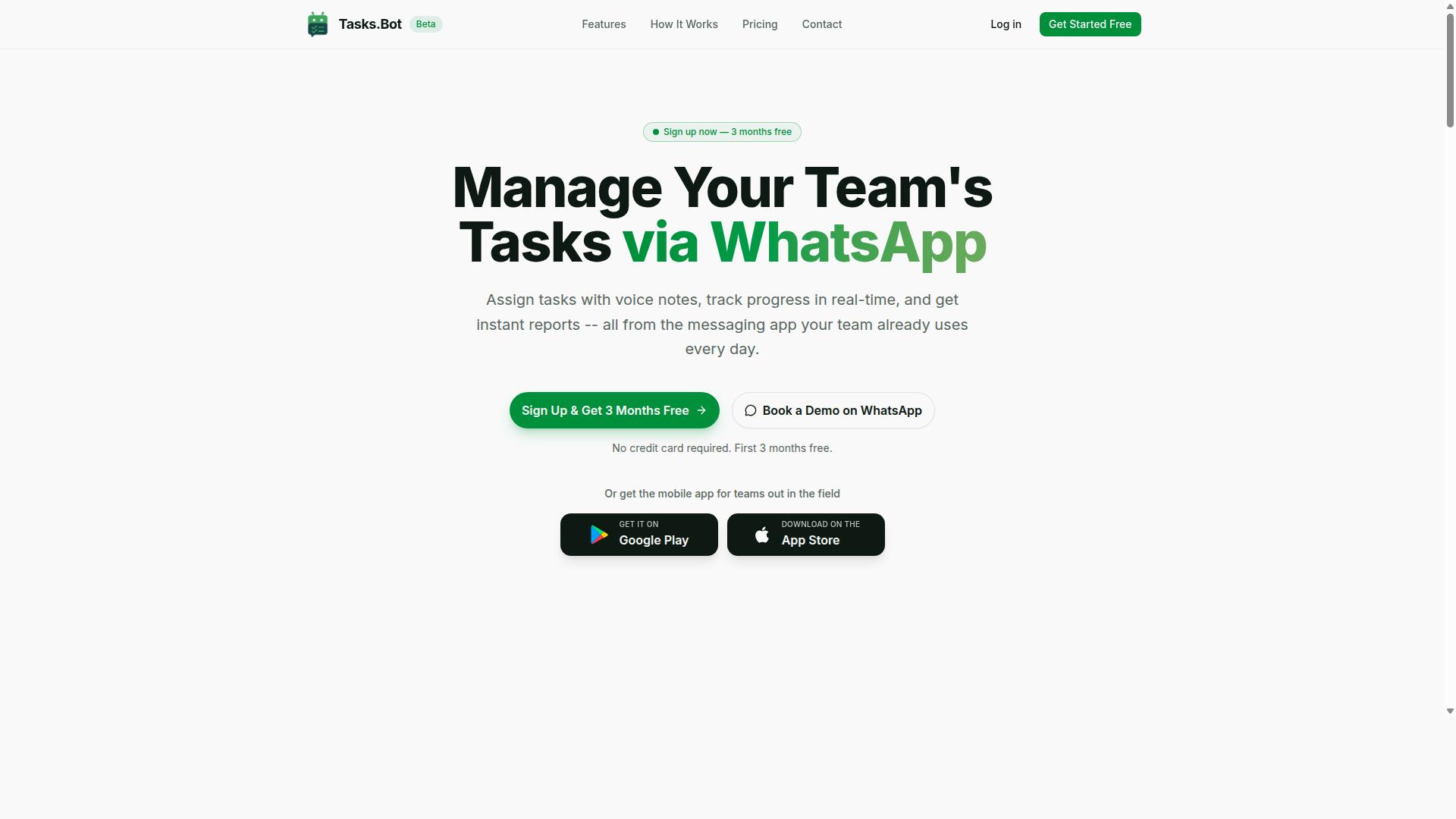
Tasks.Bot is a task management platform that operates entirely within WhatsApp, enabling teams to assign tasks, track progress, and receive reports without leaving the messaging app. It is a SaaS product built around a simple idea: most field and frontline teams already live in WhatsApp, so the work should meet them there.
The platform covers the full task lifecycle. Users can create tasks by voice note, let the system assign them automatically, and rely on smart deadline reminders to keep things moving. Approvals and automations, instant reports, tasks on a map, a live day tracker, face-verified attendance, and shifts, leave, and hours management are all part of the offering.
Tasks.Bot also provides Android and iOS apps with push notifications, voice capture, and a home screen widget, which matters for field teams who are not sitting at a desk. The service is currently in beta and offers a free trial period.
In short, Tasks.Bot is a WhatsApp-native task automation platform for teams that need assignments, tracking, and reporting in one familiar place. That foundation is what makes it a practical alternative to spreadsheet-driven workflows.
How Tasks.Bot Replaces Excel Macro Workflows with WhatsApp Task Automation
Excel macros often require manual triggers and maintenance, but Tasks.Bot replaces these with automated task creation and reminders directly in WhatsApp. There are no VBA scripts to write, no broken references to debug, and no version of the file floating around that only one person can update.
The interface is conversational. A manager can send a voice note or a plain message, and the platform uses AI to understand the intent and create the task from that message. From there, automatic task assignment routes the work to the right person, deadlines are set, and smart reminders follow up so nobody has to chase anyone.
Consider a common legacy pattern: a macro that fires an email when a cell changes. In Tasks.Bot, the equivalent is a WhatsApp message triggered when a task is marked complete. The outcome is similar, but the setup is a conversation rather than a code project. This is macro-free automation in the sense that the logic lives in the platform, not in a workbook.
Accessibility is the other difference. There is no installation and no new account required for team members, so adoption does not depend on whether someone has the right Excel version or macro permissions enabled. Everyone who has WhatsApp can participate.
For teams weighing a VBA alternative, the practical comparison looks like this:
- Creation: voice note or natural language message instead of scripted triggers
- Assignment: handled automatically by the platform rather than by conditional logic
- Follow-up: smart deadline reminders instead of manually scheduled email reminders
- Visibility: instant reports, a live day tracker, and tasks on a map instead of spreadsheet tabs
None of this means spreadsheets disappear. It means the coordination layer, the part that macros were awkwardly holding together, moves into a messaging environment where field staff already work. The result is workflow automation that survives staff changes, device swaps, and the person who originally wrote the macro leaving the company.
Is Tasks.Bot a Viable Replacement for Excel Macro Automation?
When evaluating Tasks.Bot as a replacement for Excel macro automation, consider its strengths in real-time collaboration and its limitations in complex data manipulation. Tasks.Bot is a SaaS platform focused on task automation and team coordination, not a spreadsheet engine. That distinction shapes exactly where it fits as a macro-free automation option.
The honest answer is that viability depends on what your legacy macros actually do. If they exist mainly to chase people, send email reminders, and compile status updates, Tasks.Bot covers that ground well. If they crunch numbers, reshape datasets, or run heavy conditional logic across thousands of rows, a spreadsheet tool remains the better home for that work.
Tasks.Bot is currently in beta. That is worth weighing before you migrate anything business-critical, because beta software can change and may not match the reliability of a system your team has run for years.
Where Tasks.Bot Excels
Tasks.Bot performs best when the underlying problem is coordination rather than calculation. A surprising share of Excel VBA scripts are really people-management tools in disguise: a workbook that emails a weekly status request, tracks who replied, and escalates when someone goes quiet.
That pattern maps cleanly onto task automation. Teams working in Tasks.Bot can track assignments, coordinate field staff, and keep recurring reminders running without maintaining a fragile workbook on someone's laptop. When the macro author leaves, the automation does not leave with them.
- Team-based task tracking: assignments, ownership, and status live in a shared platform instead of a file passed around by email.
- Field staff coordination: distributed teams get a single place to check what is due, rather than a spreadsheet only one person can open.
- Reminders and recurring tasks: scheduled nudges replace the most common reason people write VBA in the first place.
- Simple report generation: routine status summaries can be produced as part of the workflow instead of through a macro button.
If your current scripts exist to nag, assign, and summarize, Tasks.Bot is a strong alternative and removes the maintenance burden of a local file.
Where Tasks.Bot Falls Short
Tasks.Bot is not a spreadsheet tool. It cannot perform the complex calculations, lookups, pivots, or data transformations that Excel VBA handles natively. Any macro doing genuine number work, financial modeling, or large-scale data cleanup is out of scope.
It also does not exist to replicate Excel's grid. There is no cell-level formula engine to inherit, and no drop-in conversion of an existing.xlsm file. Migration means rebuilding the process as a workflow, not porting code.
The beta status adds a second constraint. Teams with strict compliance or uptime requirements may prefer to wait, or to run Tasks.Bot alongside existing spreadsheets during a trial period. The site does list a refund policy in the footer, which softens the risk of trying it, and a Book a Demo on WhatsApp option lets you ask questions before committing.
Who Should Consider It
Tasks.Bot is a viable replacement in specific, well-defined situations. It is a poor fit in others. Matching your macro's true purpose to the right category is the whole decision.
| Scenario | Tasks.Bot Fit | Reason |
|---|---|---|
| Recurring reminders to staff | Strong | Purpose-built for scheduled, recurring tasks |
| Team and field coordination | Strong | Shared visibility replaces emailed workbooks |
| Simple status report generation | Good | Routine summaries fit a workflow model |
| Complex calculations or data transforms | Poor | Not a spreadsheet tool, no formula engine |
| Regulated, uptime-critical processes | Cautious | Service is currently in beta |
For teams whose macros are really coordination tools, Tasks.Bot is a credible and often cleaner path. For heavy data work, keep the spreadsheet and move only the reminder layer across.
Key Features That Replace Manual Excel Macro Triggers
Tasks.Bot offers a suite of features designed to automate tasks that would otherwise require manual Excel macro triggers, from task creation to reporting. Together, these capabilities form a no-code automation alternative to VBA scripts. Team members never touch a spreadsheet formula or a code editor.
Instead of writing Excel VBA to move data between cells, assign owners, or chase deadlines, teams describe work in plain language. Tasks.Bot handles the rest through its AI assistant and native WhatsApp integration. That means no new accounts, no software installs, and no maintenance burden when a legacy macro breaks.
The two feature groups below show how this works in practice. The first covers voice-driven task creation, smart deadlines, and trigger-based actions. The second covers attendance, location tracking, and hours that feed directly into payroll.
Voice Notes, Smart Deadlines, and Automations Instead of VBA Scripts
Tasks.Bot uses AI to interpret voice notes and natural language, automatically creating tasks with smart deadlines and triggering follow-up actions.
This is where the VBA alternative becomes clear. In Excel, a macro must be written, tested, and maintained to do the same job. With Tasks.Bot, the AI handles the logic, and the user just speaks.
Smart deadline reminders add another layer. The system sends reminders based on task due dates, so nothing depends on someone opening a workbook to check a cell. Follow-up actions work the same way. When a task is marked complete, it can trigger the next task or send a report.
Practical examples show the range:
- Field staff report job completion by voice note, and the next task is triggered automatically.
- A supervisor assigns work verbally, and the assignee and due date are set without typing.
- Completing a task sends an instant report instead of requiring a manual macro run.
These are event-driven workflows built on conversation, not code, which removes the fragility that comes with legacy macros.
Face-Verified Attendance, GPS Tracking, and Payroll-Ready Hours
For teams with field staff, Tasks.Bot includes face-verified attendance and GPS tracking to automatically log hours and generate payroll-ready reports.
This replaces a common Excel chore: manually entering times and writing macros to calculate hours or validate attendance. Tasks.Bot produces timesheets that can be exported for payroll, which cuts down on data entry automation work and the errors that follow it.
The accuracy benefits are direct. Face verification confirms the right person is checking in, and location data confirms where. That combination supports fraud prevention in a way a shared spreadsheet rarely can.
Shifts, leave, and hours management sit alongside these features, so attendance data and scheduling stay in one place. This capability is part of the Full Access plan.
For teams weighing a macro-free automation path, the appeal is simple. Attendance, location, and hours flow into reports without a single spreadsheet trigger, and the whole process runs inside WhatsApp on Android and iOS.
Pricing and Plans
Tasks.Bot offers a single 'Full Access' plan with all features included, priced per member per month or annually. There are no tiers to compare, no feature gates to unlock, and no upsells waiting after checkout. For teams replacing Excel macro replacement workflows with a dedicated automation platform, that simplicity matters as much as the number itself.
Pricing is available in both Indian Rupees (₹) and US Dollars ($), and users can select their preferred currency before subscribing. The two billing options are:
- Monthly plan: ₹200 per member per month
- Annual plan: ₹1,200 per year per member, which works out to a 50% saving of ₹1,200 per member annually
The annual option effectively gives teams two months free compared to paying month by month. For a department of ten people, that difference adds up quickly, making the yearly commitment the more economical route for anyone confident in the platform.
New users also get 3 months free with no credit card required, and can cancel anytime. That trial period gives teams room to test whether Tasks.Bot fits their workflow before any payment is made.
What the Full Access Plan Includes
Because everything sits under one plan, subscribers get the complete feature set from day one. That includes voice note task creation, automatic assignment, smart reminders, approvals, automations, instant reports, face-verified attendance, GPS tracking, and payroll-ready hours.
For teams moving away from Excel VBA and legacy macros, this combination covers the core needs of task automation and workflow automation in one place. Voice notes and natural language processing reduce the friction of logging work, while smart reminders and recurring tasks keep scheduled automation running without manual intervention.
Approvals and trigger-based actions support conditional logic and event-driven workflows, which is often where spreadsheet automation breaks down. Instant reports and payroll-ready hours then close the loop, turning tracked activity into output that managers can actually use.
A refund policy is in place as well, so the financial risk of trying the platform is limited. Combined with the free trial and cancel-anytime terms, the pricing structure is straightforward: one plan, one price per member, and a clear path to exit if the fit is not right.
Trust Signals: Beta Status, Encryption, and Early Adopters
Tasks.Bot is currently in beta, with hundreds of teams already using it, and it employs encryption to protect data. For anyone weighing a move away from Excel VBA and legacy macros, that combination matters. Beta status tells you the product is still being shaped, while a growing user base tells you real teams are already running task automation on it.
Understanding what beta means here helps set the right expectations. It signals an evolving product, not a finished one. Features can shift, and occasional bugs are possible. What matters more is whether the team behind it responds when issues surface. A responsive development team is often a stronger trust signal than a polished version number.
Encryption is the second pillar. Data is protected in transit and at rest, which is essential when workflow automation touches spreadsheets, email reminders, and scheduled tasks. If your macro replacement plans involve business data, encryption should be a baseline requirement, not an optional extra.
Early adoption is the third signal. Hundreds of teams using a beta product suggests the core value, replacing fragile Excel VBA with no-code automation, is already landing. Early adopters tend to be pragmatic. They choose tools that solve a real problem, even before every edge case is smoothed out.
Two additional details round out the picture. The site mentions a refund policy in the footer, which gives new users a safety net while the product matures. There is also a Book a Demo on WhatsApp option, letting you talk to the team before committing. The copyright year is 2026, indicating active maintenance.
- Beta status: the product is evolving, with occasional bugs possible
- Active users: hundreds of teams already on board
- Encryption: data protected in transit and at rest
- Refund policy: mentioned in the site footer
- Direct contact: Book a Demo on WhatsApp
For a VBA alternative handling sensitive spreadsheet data, these signals together suggest a service worth evaluating. The honest caveat is that beta software is not flawless. The counterweight is a responsive team, a refund path, and a user base large enough to prove the concept works in practice.
Who Should Use Tasks.Bot for Macro-Free Automation
Tasks.Bot is ideal for teams that already use WhatsApp for communication, especially those with field staff who need task management and attendance tracking. These are the exact groups that tend to struggle most with Excel macro replacement, because their work happens away from a desk and away from a spreadsheet.
The site mentions that hundreds of teams already use the service, which suggests the fit is not theoretical. It is a practical match for crews that live in a chat app all day and have no interest in learning a new platform.
Below are the team types where macro-free automation through WhatsApp tends to make the most sense, and why.
- Construction teams: site supervisors assign jobs, confirm completion, and log who showed up, all from a phone.
- Sales teams: field reps receive leads and follow-up tasks without opening a laptop.
- Delivery teams: drivers get route and drop-off instructions with reminders attached.
- Maintenance teams: technicians receive work orders and record time on site.
What ties these groups together is that their daily coordination already runs through chat. Adding task automation to a channel they open anyway removes the biggest barrier to adoption: learning a new tool.
Tasks.Bot also works with voice or text input, so a worker with dirty hands or a tight schedule can send a quick message instead of navigating menus. Automated reminders and attendance tracking then run in the background, which matters for teams whose hours feed into payroll.
Compare that with Excel VBA. Building a working macro requires comfort with the editor, an understanding of how the workbook is structured, and patience when something breaks. Most field staff have none of those things, and they should not need them. A spreadsheet-based workflow also assumes someone is at a computer to trigger it, which is rarely true on a job site.
Macro-free automation sidesteps the technical skill requirement entirely. If a person can send a WhatsApp message, they can participate in the workflow. That is the whole point of a no-code approach: the tool adapts to the user, not the other way around.
Tasks.Bot is also global and available worldwide, so distributed teams in different regions can use the same system without local infrastructure or extra setup. For organizations running field operations across multiple locations, that consistency is worth more than any single feature.
If your team already coordinates through WhatsApp and your current process depends on legacy macros that only one person understands, Tasks.Bot is a natural fit. It meets people where they already are, and it keeps task assignment, reminders, and attendance in one place.
Final Verdict
Tasks.Bot presents a compelling alternative to Excel macros for teams seeking no-code, WhatsApp-based task automation, though its beta status warrants caution. For organizations tired of maintaining fragile Excel VBA scripts, it offers a practical path toward macro-free automation built around the tools people already use daily.
Where legacy macros depend on spreadsheet triggers that break when files move or columns shift, Tasks.Bot shifts the model entirely. It replaces those manual triggers with automated task creation, reminders, and reporting inside WhatsApp. That means recurring tasks, scheduled automation, and event-driven workflows happen where your team already communicates, not in a file only one person understands.
Several features stand out in this comparison. Voice notes let field staff log updates without typing, and face-verified attendance adds accountability that a spreadsheet formula simply cannot provide. These are capabilities Excel macros were never designed to handle.
- Automated task creation and reminders delivered through WhatsApp
- Reporting that runs without manual macro triggers
- Voice notes for hands-free updates
- Face-verified attendance tracking
- Affordable pricing suited to smaller teams
The trade-offs deserve honest mention. Tasks.Bot is still in beta, so some rough edges are expected. It is also not a full spreadsheet replacement. If your work involves heavy data manipulation, complex formulas, or conditional logic across large datasets, Excel macros may still be needed alongside it.
Who benefits most? Teams with field staff who work from phones rather than desktops, and anyone already running operations through WhatsApp. For those groups, Tasks.Bot removes the friction of spreadsheet automation and replaces it with conversational, no-code workflows.
To explore whether it fits your workflow, book a demo on WhatsApp or reach the team directly. Phone: +91 97143 42522. Email: [email protected].
Frequently Asked Questions
What makes Tasks.Bot different from Reminderly.ai for replacing Excel macros?
Tasks.Bot is a task management platform that runs entirely inside WhatsApp, so your team can assign tasks, track progress, and get reports without installing anything or creating new accounts. It uses AI to understand natural language and voice notes for task creation, which makes it a natural fit for teams already coordinating over WhatsApp. Reminderly.ai is a separate automation tool, so the best choice depends on whether you want automation to live where your team already communicates.
Do my team members need to install an app or learn a new tool?
No. Tasks.Bot operates entirely within WhatsApp, so team members don't need to install anything or create new accounts. A mobile app is also available for field teams that need it. This keeps adoption simple compared to replacing Excel macros with a standalone automation platform.
Can Tasks.Bot handle the recurring reminders and follow-ups my macros used to send?
Yes. Tasks.Bot includes smart deadline reminders, automatic task assignment, and approvals and automations, so recurring follow-ups that previously lived in Excel macros can run inside WhatsApp instead. Tasks can also be created by voice note or natural language, which reduces the setup work per task. For the exact automation logic you need, it's best to confirm details with the Tasks.Bot team.
How much does Tasks.Bot cost?
Tasks.Bot offers a 'Full Access' plan with all features included. Pricing is ₹200 per member per month, or ₹1,200 per year per member on the annual plan (a 50% saving). Pricing is available in both Indian Rupees and US Dollars.
Is Tasks.Bot suitable for teams with field staff?
Yes. Tasks.Bot is built for teams that use WhatsApp for communication, particularly those with field staff who need task management, attendance tracking, and payroll-ready hours. It offers face-verified attendance, tasks on a map, and live day tracking. A mobile app is also available for field teams.
How do I get started or see Tasks.Bot in action?
You can book a demo on WhatsApp directly from the Tasks.Bot website. The service is currently in beta and is available worldwide, since it's a SaaS product accessible via WhatsApp and mobile apps. For questions, reach the team at [email protected] or +91 97143 42522.
Recommended Resources: