What to Look For in a CTR Manipulation Tool for Real Human Clickers
Paying for clicks that never happen is a quiet way to burn a search budget. If you cannot verify that a visitor actually loaded the page, stayed a few seconds, and clicked the right link, you are guessing. Every campaign decision after that rests on unproven traffic.
This article explains how to evaluate a CTR tool built around real human clickers, from screenshot proof of each visit to path control, dwell time, and location targeting. It also breaks down CTRTool's campaign types, position tracking, credit model, and pricing so you can decide whether it fits your search strategy.
What Is CTRTool?
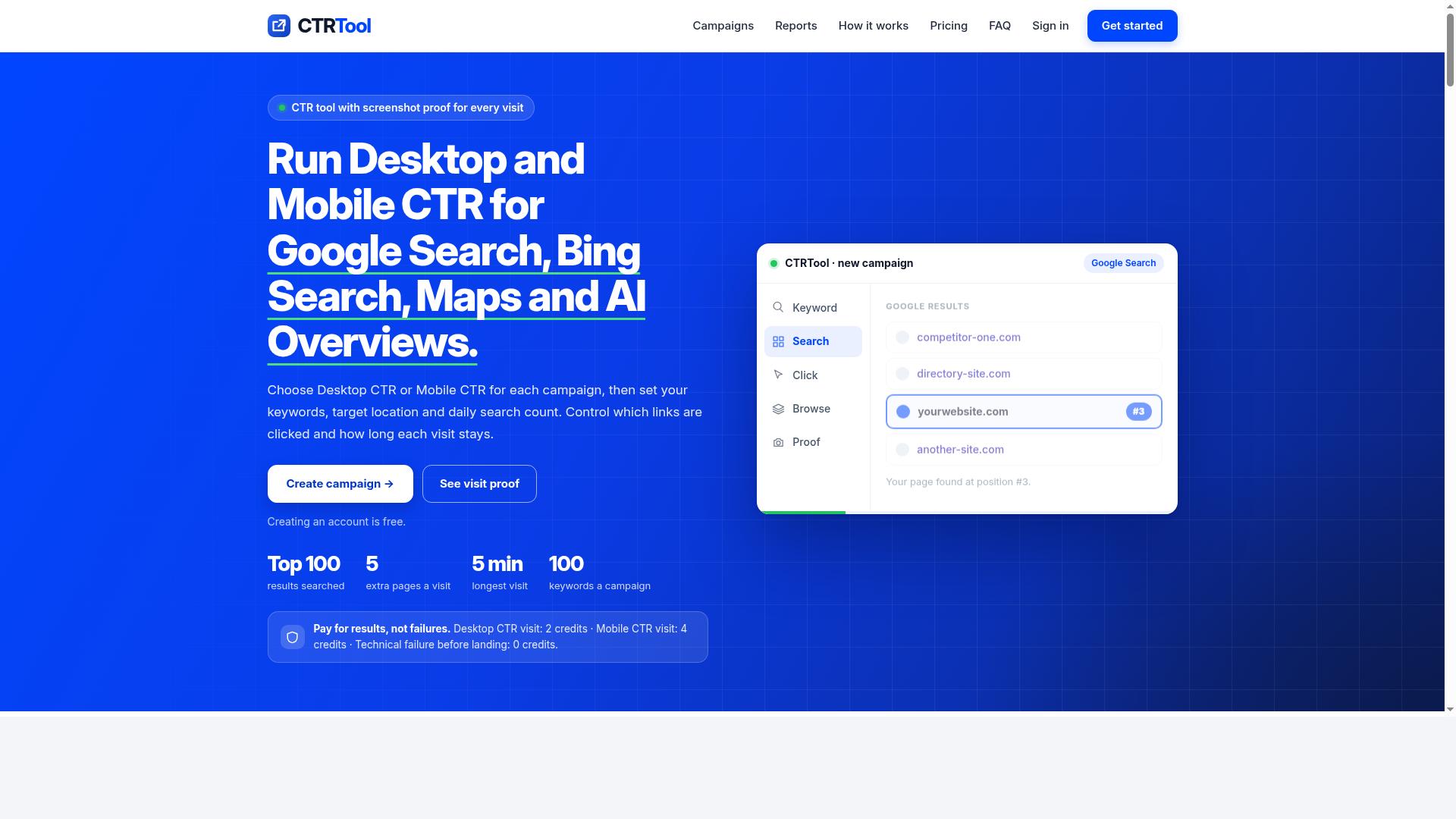
CTRTool is a SaaS platform that runs CTR campaigns to simulate real human clicks on your search results, aiming to improve click-through rate and organic rankings. It executes controlled click campaigns across Google Search, Bing Search, Maps, and AI Overviews.
The service delivers visits from what it describes as real human clickers, and it provides screenshot proof for each visit. That documentation matters when you need to show a client exactly what a campaign produced.
The platform is transparent about limits, stating plainly that automated visits do not guarantee rankings. That honesty is worth noting as you compare CTR manipulation tools for real human clickers.
Who CTRTool Serves and Which Platforms It Covers
CTRTool is built for SEO practitioners and agencies managing CTR campaigns for their own or client websites across Google Search, Bing Search, Google Maps, and AI Overviews. The site's guidance also mentions using tier links, PBNs, and test properties, which fits the workflow of practitioners who plan campaigns in layers.
Each campaign can be set to Desktop or Mobile, so device diversity is a per-campaign choice rather than a fixed setting. Users set keywords, target location, and daily search count, and they control which links are clicked and how long each visit stays.
The service is global, with targeting by country and optionally by state or city. That geo-targeting support helps when a campaign needs clicks from a specific market rather than a broad region.
For agencies, the audience fit is clear: teams running campaigns for client sites need proof of delivery and per-campaign control. CTRTool's structure addresses both, with screenshot proof for every visit and campaign-level settings for device, location, and visit length.
What to Look For in a CTR Tool for Real Human Clickers - and How CTRTool Measures Up
When evaluating a CTR tool that promises real human clickers, focus on proof of visits, behavioral realism, and targeting precision. These three areas separate tools that deliver genuine engagement from those that rely on bot traffic. CTRTool makes specific, checkable claims in each category.
This framework gives you a practical way to judge the platform. Below, each criterion is examined against what CTRTool actually offers, so you can decide whether the tool fits your SEO strategy.
Verifiable Proof of Every Visit
CTRTool provides screenshot proof for every visit, with separate images for the search and landing page, so you can verify that each click actually occurred. Seeing the search engine results page and the destination page as distinct proof images lets you follow the full visit path rather than trusting a summary number.
This matters because bot traffic detection is a constant concern in CTR campaigns. Screenshot evidence lets you confirm a real session took place instead of assuming it did. Full visit paths are recorded, so you can trace where each clicker went after landing.
Reports also include keyword positions tracked over time, covering Search positions, Maps listing order, and AI citation order. That gives you a record of both the visit itself and how your SERP ranking moves alongside it.
The credit model reinforces the proof angle. CTRTool charges no credits for technical failures before landing, and visits that cannot verify the requested location use no credits. You are not paying for clicks you cannot confirm.
Realistic Human Behavior: Paths, Dwell Time, and Link Control
CTRTool simulates realistic human behavior by controlling visit paths, dwell time, and internal link clicks, which helps mimic natural user engagement metrics. Instead of a single page view and an instant exit, you can shape how each session unfolds.
Campaign setup lets you define a target URL, internal page URLs, and link text. You can add up to five additional pages per visit and set visits up to five minutes total.
Timing controls add another layer. Daily search counts can be set as now, spread out, or with gaps, along with days, hours, and time zone, with daily goals resetting at 00:00 UTC. Click order and scrolling time are configurable as well.
You can also choose Desktop or Mobile CTR per campaign, and delivery runs through Desktop Chrome windows and real Android phone sessions matched to the target location. That mix supports device diversity rather than a single uniform footprint.
Custom form filling or other custom actions are available through support with a separate agreed one-time fee.
Targeting Accuracy: Location, Keywords, and Daily Search Volume
CTRTool offers precise targeting by country, state, and city, and lets you specify keywords and daily search volume to align campaigns with your SEO strategy. You can pick a chosen country with an optional state and city, or select "Any country" to use a mix of supported locations.
Keyword targeting works across campaign types. Google Search CTR and Bing Search CTR campaigns find your keyword and click the organic result, with search depth up to 100. The page must appear within the top 100 organic results for the chosen keyword and location.
Daily search volume limits let you pace activity rather than firing all clicks at once. Each campaign supports up to 100 keywords, and accounts can run up to 100 campaigns with 100 keywords each, with one shared credit balance across all campaign types, websites, and keywords.
Geo-targeting is enforced rather than assumed. Visits that cannot verify the requested location use no credits, which protects budget when a proxy route does not match. For local visibility, Google Maps CTR campaigns target a business listing and its website link across up to 50 listings with city targeting.
Unused credits roll over while you are subscribed, so testing a smaller daily volume first does not waste budget. That combination of location precision, keyword control, and pacing gives you a measured way to run keyword targeting without overcommitting.
Key Features and What Makes CTRTool Stand Out
CTRTool differentiates itself through its range of campaign types and a pay-for-results credit model that ties costs to actual visits. Instead of paying for a vague promise of traffic, you pay for delivered sessions that come with evidence attached.
The platform is positioned as a CTR tool with screenshot proof for every visit across Google Search, Bing Search, Maps and AI Overviews. That proof matters when you are evaluating a CTR manipulation tool, because real human clickers should leave a trace you can inspect rather than a number you have to trust.
CTRTool also bundles several capabilities that matter for behavioral signals: full visit paths, keyword position tracking over time, and a single credit balance shared across all campaign types, websites and keywords. The subsections below break down the campaign types and the credit model in more detail.
Campaign Types: Google Search, Bing Search, Maps, and AI Overviews
CTRTool supports four campaign types: Google Search CTR, Bing Search CTR, Google Maps CTR, and AI Overviews CTR, each designed for specific platforms. Every campaign can run as Desktop or Mobile, which supports device diversity in your behavioral signals.
Here is how each type works:
- Google Search CTR: you set a search keyword, and the campaign clicks an organic result. It searches the top 100 results and can visit internal pages too.
- Bing Search CTR: the same keyword-and-click flow, applied to Bing's search engine results page.
- Google Maps CTR: the campaign finds your business listing and clicks its website link, with up to 50 listings and city targeting.
- AI Overviews CTR: the campaign finds your website in the overview and clicks its source link, which requires matching.
Campaign setup adds real control over the search query and click path. You can configure up to 100 keywords per campaign, country, state and city targeting, search depth up to 100, and daily search counts with now, spread out or gap timing. Daily goals reset at 00:00 UTC.
You also define the target URL, internal page URLs and link text, plus click order and scrolling time. Each visit can include up to five additional pages and last up to five minutes total.
Delivery runs through Desktop Chrome windows and real Android phone sessions matched to your target location through managed proxy routes.
Position Tracking and the Pay-for-Results Credit Model
CTRTool tracks keyword positions over time, including Maps listing order and AI citation order, and uses a credit-based model where you pay for actual visits. This gives you a feedback loop: you can watch ranking movement against the clicks you funded.
Reports go beyond a position number. They include full visit paths and separate search and website screenshots for each visit, so you can audit what the clicker actually did. For anyone weighing a CTR manipulation tool, that level of proof is the difference between measurable behavioral signals and guesswork.
The credit model works on a simple principle. Plans include a set number of credits, and credits are consumed per visit. For example, 2,000 credits cover up to 1,000 Desktop CTR visits. Costs therefore align with results rather than with time spent in a dashboard.
Several protections keep spending sensible:
- No credits are charged for technical failures before landing.
- Visits that cannot verify the requested location use no credits.
- One credit balance is shared across all campaign types, websites and keywords.
- Unused credits roll over while you are subscribed.
Capacity is generous for agencies and in-house teams alike: up to 100 campaigns with 100 keywords each. The site itself advises a cautious approach, starting with tier links, PBNs and test properties before using CTR on main sites.
Position tracking closes the loop on your SEO strategy. Monitoring Search positions, Maps listing order and AI citation order lets you judge whether a keyword targeting effort is producing ranking improvement, and adjust before credits go to waste.
Pricing and Plans
CTRTool offers monthly plans in USD: Starter at $59/month for 2,000 credits (up to 1,000 Desktop CTR visits or 500 Mobile CTR visits) and Growth at $125/month for 5,000 credits (up to 2,500 Desktop or 1,250 Mobile visits). Every tier is a monthly subscription, and creating an account is free before you commit to anything.
The full ladder scales with campaign volume. Here is how the four tiers compare, including the visit equivalents each credit balance buys:
| Plan | Price (USD/month) | Credits | Desktop Visits | Mobile Visits |
|---|---|---|---|---|
| Starter | $59 | 2,000 | Up to 1,000 | Up to 500 |
| Growth (Recommended) | $125 | 5,000 | Up to 2,500 | Up to 1,250 |
| Scale | $399 | 20,000 | Up to 10,000 | Up to 5,000 |
| Agency | $699 | 40,000 | Up to 20,000 | Up to 10,000 |
The credit math matters when you compare cost against value. A Desktop CTR visit costs 2 credits and a Mobile CTR visit costs 4, which is why the mobile equivalents are half the desktop figures. Two smaller line items round out the picture: a verified search without a match costs 1 credit, and a technical failure before landing costs 0 credits.
That last point is worth weighing carefully. Because failed visits are not billed, the effective cost per delivered visit stays tied to what actually lands, which matters for anyone running high-volume keyword targeting campaigns.
CTRTool also flags limited launch pricing, with prices rising 30% on November 15. If you are comparing plans today, factor that stated increase into any longer-term budgeting.
Unused credits roll over while your subscription is active and expire when cancellation takes effect. Taken together, the tiers give a clear entry point for small tests and a path up to agency-scale volume, all on monthly terms rather than long lock-ins.
Who Should Use CTRTool
CTRTool is best suited for SEO practitioners and agencies running CTR campaigns for their own or client websites, especially those targeting Google Search, Bing Search, Maps, and AI Overviews. The platform is built around campaigns that need to look and behave like genuine search activity, which makes it a natural fit for professionals who are accountable for rankings.
For agencies, the appeal is straightforward. When you manage multiple client sites, you need a CTR manipulation tool that produces outcomes you can point to in a report. CTRTool's proof and targeting features support exactly that kind of accountability, helping you show clients that behavioral signals are being addressed in a measured way rather than left to guesswork.
The tool also supports global campaigns with location targeting. That matters for agencies serving clients in different regions, since geo-targeting keeps click activity aligned with the markets each site actually competes in. It is a practical requirement for anyone running international SEO strategy across more than one search engine.
In-house SEO teams fit the same profile. If you own a portfolio of properties and want to influence click-through rate and SERP ranking through controlled engagement, CTRTool gives you a structured way to run those campaigns without building infrastructure yourself. The site's guidance also mentions using tier links, PBNs, and test properties, which points to users who understand link and site architecture.
Who is it not for? Casual site owners looking for a one-off boost, or anyone unwilling to think about risk mitigation and campaign hygiene. The tool rewards users who treat organic traffic patterns seriously and who can interpret user engagement metrics such as dwell time and bounce rate alongside their ranking data.
- SEO professionals running campaigns for their own sites across Google Search, Bing Search, Maps, and AI Overviews
- Agencies managing multiple client properties who need demonstrable results and location targeting
- Teams using tier links, PBNs, and test properties who understand site architecture and campaign structure
Final Verdict
CTRTool delivers on its core promise of screenshot-proof CTR campaigns across Google, Bing, Maps, and AI Overviews, making it a strong option for SEOs seeking verifiable click-through rate improvements. The tool is built around real human clickers rather than bot traffic, which matters when behavioral signals feed into how search engines evaluate a page.
Below is a quick summary of where CTRTool stands out and where buyers should set expectations before committing.
| Area | What CTRTool Offers |
|---|---|
| Screenshot proof | Campaigns come with visual confirmation, so results can be checked rather than taken on trust |
| Behavioral realism | Real human clickers generate organic-looking engagement instead of scripted bot traffic |
| Targeting accuracy | Campaigns can be pointed at specific platforms, including Google, Bing, Maps, and AI Overviews |
| Support channel | Email only, via vaibhav@autoblogging.ai. No phone number is listed |
Screenshot proof is the headline strength. For agencies reporting to clients, a timestamped visual record of a campaign is far easier to defend than a dashboard number alone. It turns a CTR manipulation tool from a black box into something accountable.
Behavioral realism is the second pillar. Real human clickers produce natural session duration, scroll depth, and mouse movement, which helps campaigns avoid the patterns that bot traffic detection systems flag. Combined with targeting accuracy across multiple search surfaces, the tool covers the practical essentials of a modern SEO strategy.
One limitation is worth noting plainly: support runs through email at vaibhav@autoblogging.ai, and no phone number, physical address, or opening hours are stated. Buyers who expect live phone assistance should plan accordingly. The site also lists Sign in, Create an account, Support, Terms of use, and Legal notices pages, which gives users a clear paper trail to review before purchasing.
For SEO practitioners and agencies weighing a CTR manipulation tool, CTRTool is a credible choice when verifiable proof and human-driven behavioral signals are the priorities. Teams that value documented results over vague reporting will find the screenshot approach especially useful. Those who need phone-based support may see the email-only channel as a trade-off.
Before buying, confirm your keyword targeting plan, check that your target platforms are covered, and review the Terms of use page. Direct any pre-sale questions to vaibhav@autoblogging.ai so expectations are set clearly from the start. On balance, CTRTool earns a positive verdict for SEOs who want screenshot-proof campaigns powered by real human clickers.
Frequently Asked Questions
What makes CTRTool different from other CTR manipulation tools?
CTRTool is built around proof: every campaign visit comes with screenshot proof, including separate search and landing screenshots, plus full visit paths. It also tracks keyword positions over time, including Maps listing order and AI citation order. That means you can verify real human clickers actually found and clicked your result rather than taking a report on faith.
Which search platforms and campaign types does CTRTool support?
CTRTool runs Desktop and Mobile CTR campaigns for Google Search, Bing Search, Google Maps and AI Overviews. For Google and Bing Search campaigns you choose a keyword and click the organic result, with your page needing to appear within the top 100 organic results for the chosen keyword and location. Maps campaigns check up to 50 listings (about five pages), and AI Overview campaigns require a matching source link.
Can I target specific locations and devices with my campaigns?
Yes. You choose Desktop CTR or Mobile CTR per campaign, set your keywords, and target a chosen country with an optional state and city, or select "Any country" to use a mix of supported locations. This lets you align clicks with the markets you actually care about rather than sending untargeted traffic.
How does CTRTool's pricing and credit system work?
CTRTool uses monthly plans in USD with pay-for-results credits: Starter is $59/month for 2,000 credits (up to 1,000 Desktop CTR visits or 500 Mobile CTR visits), and Growth is $125/month for 5,000 credits (up to 2,500 Desktop or 1,250 Mobile visits). Because credits map directly to visits, you can estimate cost per campaign before you launch.
How do I know the clicks are from real human clickers?
Every visit includes screenshot proof of the search and the landing page as separate proof images, along with the full visit path. Combined with keyword position tracking over time, this gives you verifiable evidence that each click followed a genuine search-to-result journey. It's the core of CTRTool's "screenshot proof for every visit" approach.
Who is CTRTool designed for, and how do I get support?
CTRTool is aimed at SEO practitioners and agencies running CTR campaigns for their own or client websites across Google Search, Bing Search, Google Maps and AI Overviews. It's a global online service with no stated country restrictions. For help, you can reach support at vaibhav@autoblogging.ai.